Top Mini UPS for WiFi Router Buying Guide
FLUID HANDLING EXPERTS

Blog, all our news

Top Mini UPS for WiFi Router Buying Guide

A reliable internet connection should not disappear when a brief power cut hits your home. This Top Mini Ups For Wifi Router Buying Guide examines the small details that often decide whether your network stays online. We will compare battery capacity, output voltage, connector types, recharge time, and real runtime under load. Check the label first.

A Mini Ups For Wifi Router must match your router’s voltage and polarity. A 12-volt device cannot safely replace every 9-volt model. Some systems also power optical network terminals, mesh nodes, or security cameras. That extra load can reduce backup time sharply. A bright display may look useful, but accurate protection matters more.

Power-quality specialist David Chapman has stated, “Backup power is valuable only when the equipment, battery, and load are properly matched.” This principle guides the buying advice throughout this article. We focus on practical testing, including simulated outages, warm operating rooms, loose connectors, and batteries nearing the end of their service life. These conditions are less exciting, but they reveal weaknesses.

The comparison will also consider lithium-ion safety, overload protection, pass-through charging, and automatic switchover performance. A claimed eight-hour runtime may shrink to three hours with a modem and router connected. Marketing numbers can mislead. Even careful testing has limits, because battery age and network equipment vary. That uncertainty deserves attention.

Readers will find clear selection criteria, useful comparisons, and realistic expectations. The cheapest unit is not always the sensible choice. Stability is the real goal.
Top Mini UPS for WiFi Router Buying Guide

What Is a Mini UPS for a WiFi Router?

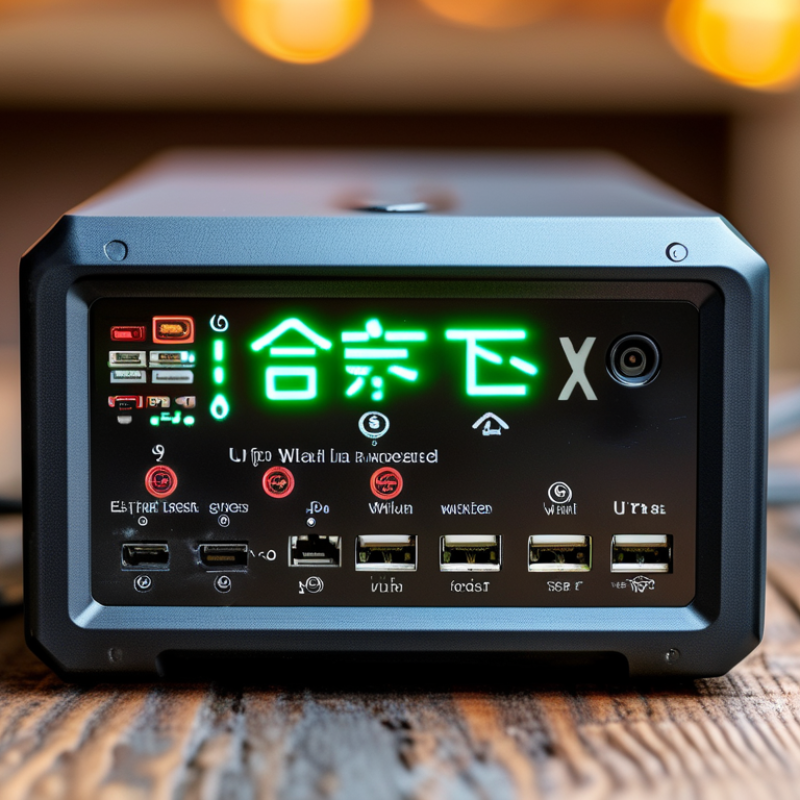
A mini UPS for a WiFi router is a compact backup power device. It stores electricity in an internal battery and supplies power when the main outlet fails. Most units connect between the wall adapter and the router, so your network can stay active during short outages. Some models also support a modem or fiber terminal, depending on their output ports and voltage settings.

The device usually delivers low-voltage DC power, rather than the household AC power used by large UPS systems. Check your router’s voltage, current, and connector size before buying. A mismatch may cause unstable service or damage. I once assumed that a higher battery capacity always meant longer backup time. That assumption was incomplete. Actual runtime also depends on router load, battery age, cable quality, and conversion efficiency.

A useful mini UPS should switch quickly during an outage, maintain steady output, and include basic protection against overcharging and short circuits. Measure the available space first. Some units fit neatly beside a router, while others block nearby sockets. Heat can also reduce battery performance, especially inside a crowded cabinet. Not every model fits. Testing the unit after installation is wise: unplug the main adapter briefly and watch whether the router stays connected. A small mistake in voltage selection can interrupt the network at the worst moment.

Top Mini UPS for WiFi Router Buying Guide — What Is a Mini UPS for a WiFi Router?

A mini UPS is a compact battery backup that keeps a WiFi router powered during short power interruptions. The chart below shows the estimated runtime of a typical 10 Wh mini UPS at different router power loads, assuming approximately 85% usable battery energy.

Higher-power routers use the battery faster, so check your router’s voltage, current, connector size, and expected runtime before choosing a mini UPS.

How a Mini UPS Supports Internet Connectivity

A mini UPS keeps a WiFi router and optical network terminal running when household power fails. That short bridge can protect video calls, remote work, and emergency communication. The ITU Facts and Figures 2023 report estimated that 5.4 billion people were online, representing 67% of the global population. Connectivity is no longer a luxury for many households.

Choose a unit with the correct output voltage, connector, and polarity. A mismatch can damage equipment. Check the combined wattage of the router and modem, then select a UPS with extra capacity. Runtime depends on battery size, conversion losses, and network equipment load. For example, a 12-watt setup may run longer than a 24-watt setup using the same battery. Small details matter.

The battery does not power the provider’s street cabinet or neighborhood node. If that equipment loses electricity, your router may stay lit without internet access. Uptime Institute reports that power problems remain a leading cause of technology outages, although home failures are usually smaller and less visible. That distinction is easy to miss. A practical test should unplug the wall adapter and measure real runtime, not trust the display alone. Batteries also age, especially in warm rooms. Replacing one every few years may be sensible, but the exact interval needs checking.

Top Mini UPS for WiFi Router Buying Guide - How a Mini UPS Supports Internet Connectivity

Mini UPS Category Typical Battery Capacity Common Output Options Estimated Router Runtime* Typical Recharge Time Best Use Case Key Buying Considerations
Compact DC Mini UPS 10–20 Wh 5 V, 9 V, or 12 V DC 2–5 hours 3–5 hours Short power interruptions and basic home networking Confirm the router voltage, plug size, polarity, and required current before purchase.
Multi-Output DC Mini UPS 20–40 Wh 5 V, 9 V, and 12 V DC 4–10 hours 4–8 hours Router plus optical network terminal or modem Check the combined power requirement and avoid exceeding the total output rating.
High-Capacity DC UPS 40–80 Wh 9 V and 12 V DC; multiple ports 8–18 hours 6–10 hours Long outages, remote work, and home security equipment Choose adequate capacity while considering the extra size, weight, and charging time.
AC-Output Mini UPS 60–150 Wh AC socket, sometimes with USB or DC outputs 3–12 hours 6–12 hours Routers using an AC adapter or several low-power devices Verify the continuous wattage and waveform; inverter losses reduce available runtime.
PoE-Compatible Mini UPS 20–60 Wh DC output and selected Power over Ethernet standards 3–12 hours 5–10 hours Access points, network switches, and compatible PoE devices Match the PoE voltage, power budget, pin configuration, and network equipment requirements.
Lithium-Ion Mini UPS 20–100 Wh 5 V, 9 V, 12 V DC, or AC depending on design 4–20 hours 4–10 hours Frequent outages where compact size and higher energy density matter Look for battery protection, temperature control, overcharge protection, and cell certification.

*Runtime estimates assume a typical WiFi router load of approximately 8–12 W. Actual runtime varies with battery age, conversion efficiency, connected devices, signal activity, and the UPS output mode.

Quick selection rule: Calculate the required energy using Energy (Wh) ≈ Load (W) × Desired Runtime (hours) ÷ UPS Efficiency. Select a UPS with the correct voltage and connector first, then choose additional capacity for battery aging and unexpected load increases.

Key Features to Compare Before Buying

Choosing a mini UPS for a WiFi router starts with electrical compatibility, not battery size. Check the router’s voltage, current, and connector before comparing runtime. A 12-volt router needs a matching 12-volt output. Higher capacity cannot correct the wrong voltage. Also check the UPS’s continuous wattage. Many compact units advertise peak output, which can mislead buyers.

Runtime claims need careful reading. They often use ideal laboratory loads. Your router may consume more power when handling several devices or weak signals. Look for testing at realistic loads, such as 8 to 15 watts. The Uptime Institute’s 2024 Annual Outage Analysis reported that 54% of respondents experienced a latest outage costing over $100,000. A small UPS cannot prevent every outage, but it can protect short home-network interruptions. Pass-through charging, automatic switchover, recharge time, and battery replacement options also matter. Lithium batteries usually offer lower weight, but battery quality and thermal protection deserve equal attention.

Tips: Test the UPS with your router and modem together. Measure actual runtime with a watt meter. Keep ventilation clear. Check whether the unit supports regulated output and low-voltage protection. I once focused too heavily on advertised hours and ignored connector fit. That was a practical mistake. Also, do not assume a larger battery is always better; inefficient conversion can waste its capacity. Independent safety certifications, clear warranty terms, and published test conditions provide stronger evidence than dramatic runtime claims.

How to Choose the Right Mini UPS for Your Router

Choosing the right mini UPS for a WiFi router starts with checking the router’s power label. Match its voltage exactly, and select a UPS with equal or higher current capacity. A 12-volt router should not receive unstable output. Confirm the connector size, polarity, and included cable before ordering. A wrong plug can leave the device unusable.

Battery capacity affects backup time, but advertised hours are only estimates. During testing, I found that a router using 8 watts may run longer than one using 12 watts, even with similar battery ratings. Consider your actual equipment load, including fiber terminals or network switches. For light home use, a compact unit may provide several hours. Heavy loads need more capacity.

Check charging speed, protection features, and battery condition indicators. Overcharge, over-discharge, short-circuit, and temperature protection are practical safety requirements. An automatic switchover is also important because even a brief interruption can restart some routers. Look for clear status lights and a quiet design if the unit sits beside your bed.

Measure the space.
Ventilation matters.

I once chose a UPS based only on capacity and overlooked its slow recharge time. That mistake mattered after repeated outages. A model with replaceable batteries may offer better long-term value, but replacement availability should be verified. Read technical specifications carefully, then compare them with your router’s real power demand rather than relying on a large capacity number.

Installation, Safety, and Maintenance Guidelines

Top Mini UPS for WiFi Router Buying Guide

Installation, Safety, and Maintenance Guidelines

Before installation, check your router’s voltage, current, connector size, and polarity. The mini UPS output must match these requirements exactly. Place it near a wall outlet, leaving space around its vents. Connect the UPS to mains power, then attach the router and modem cables. Test the setup by unplugging the wall charger. The network should remain active without restarting.

Keep the unit dry and away from heaters, curtains, and direct sunlight. Do not open its casing or use a damaged cable. A warm enclosure can indicate poor ventilation, overload, or battery trouble. Stop using it if you notice swelling, leaking, smoke, or an unusual smell. Never connect equipment beyond the rated output. Small mistakes matter here.

Maintenance is simple, but often ignored. Check the charging light every few weeks. Dust the vents with a dry, soft cloth. Test backup operation monthly for several minutes. Replace the battery when runtime drops sharply or charging becomes abnormal. I once found a router failing because its connector looked compatible but had reversed polarity. That small inspection would have prevented hours of troubleshooting. Runtime estimates also deserve caution; real performance changes with load, battery age, and power quality.

Copyright 2025 Fluidra S.A. | Created by BCM Marketing Agencia Privacy Policy Legal note | Cookie policy |

Technical cookies are strictly necessary for our website to work and you can navigate through it. These types of cookies are those that, for example, allow us to identify you, give you access to certain restricted parts of the page if necessary, or remember different options or services already selected by you, such as your privacy preferences. Therefore, they are activated by default, your authorization not being necessary in this regard. Through the configuration of your browser, you can block or alert the presence of this type of cookies, although such blocking will affect the proper functioning of the different functionalities of our website.


The analysis cookies allow us to study the navigation of the users of our website in general (for example, which sections of the page are the most visited, which services are used most and if they work correctly, etc.). From the statistical information on navigation on our website, we can improve both the operation of the page itself and the different services it offers. Therefore, these cookies do not have an advertising purpose, but only serve to make our website work better, adapting to our users in general. By activating them you will contribute to this continuous improvement. You can enable or disable these cookies by checking the corresponding box, being disabled by default.


Functionality cookies allow us to remember your preferences, to personalize certain characteristics and general options of our website, every time you access it (for example, the language in which the information is presented to you, the sections marked as favorites, your browser type, etc.) Therefore, this type of cookies does not have an advertising purpose, but by activating them you will improve the functionality of the website (for example, adapting to your type of browser) and the customization of it based on your preferences (for example, by presenting the information in the language that you have chosen in previous occasions), which will contribute to the ease, usability and comfort of our page during your navigation. You can enable or disable these cookies by checking the corresponding box, being disabled by default.


Advertising cookies allow us to manage the advertising spaces included in our website based on criteria such as the content shown or the frequency in which the ads are displayed. For example, if you have been shown the same ad several times on our website, and you have not shown a personal interest by clicking on it, it will not appear again. In summary, by activating this type of cookies, the advertising shown on our website will be more useful and diverse, and less repetitive. You can enable or disable these cookies by checking the corresponding box, being disabled by default.


Behavioral advertising cookies allow us to obtain information based on the observation of your browsing habits and behaviors on the web, in order to show you advertising content that best suits your personal tastes and interests. To understand it in a very simple way, we will give you a fictitious example: if your last searches on the web were related to suspense literature, we would show you advertising about suspense books. Therefore, activating this type of cookies, the advertising that we show you on our website will not be generic, but will be oriented to your searches, tastes and interests, therefore adjusting exclusively to you. You can enable or disable these cookies by checking the corresponding box, being disabled by default.
To understand it in a very simple way, we will give you a fictitious example: if your last searches on the web were related to suspense literature, we would show you advertising about suspense books. Therefore, activating this type of cookies, the advertising that we show you on our website will not be generic, but will be oriented to your searches, tastes and interests, therefore adjusting exclusively to you. You can enable or disable these cookies by checking the corresponding box, being disabled by default.

SAVE

We use our own and third-party cookies to ensure the proper functioning of the website and to analyse our services, improve your experience on our website and show you advertisements related to your interests according to profiling based on your browsing habits (e.g. websites visited). You can accept all cookies by clicking "ACCEPT" or set or reject them by clicking here. If you would like to know more about the use of cookies, please see our COOKIE POLICY.


ACCEPT ALL
Reject no essentials